

One solution, multiple experiences for your teams
One solution.
Multiple experiences
for your teams.
Give your facilitators and trainers several ways to explore waste: sorting guidelines, composting and workplace situations at a recycling centre. Build your setup around the experiences your teams need.
We work with you to define the applications, devices and licensing arrangements suited to your needs.
One project can combine public workshops, educational visitor trails and professional training. Experiences, devices and subscription arrangements are agreed with you.
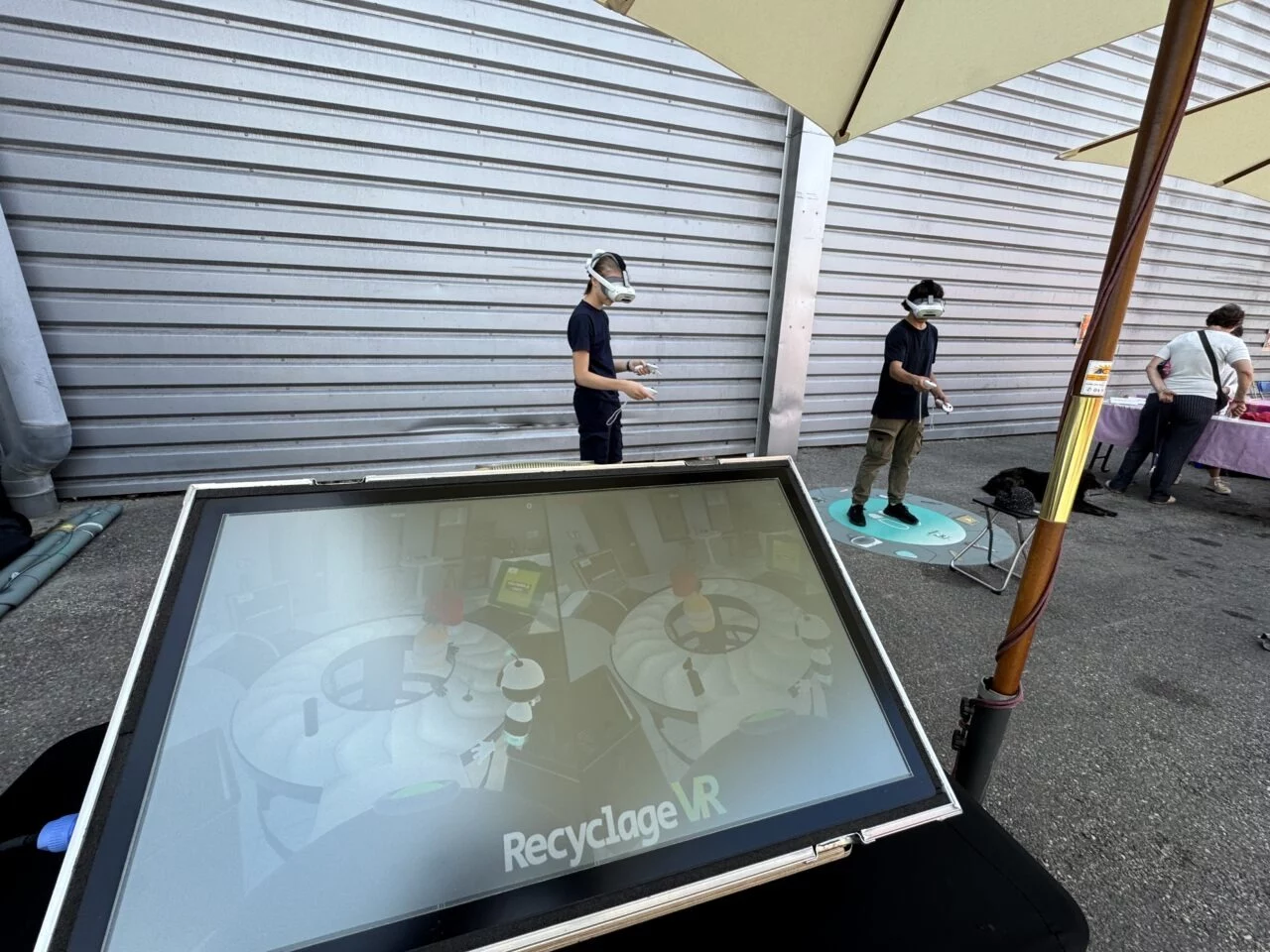
One solution, multiple experiences
Three learning objectives.
Build your own learning journey.
Raise awareness of waste sorting, explore composting or practise professional skills: each experience has its own purpose and progression.
Virtual reality and touchscreens
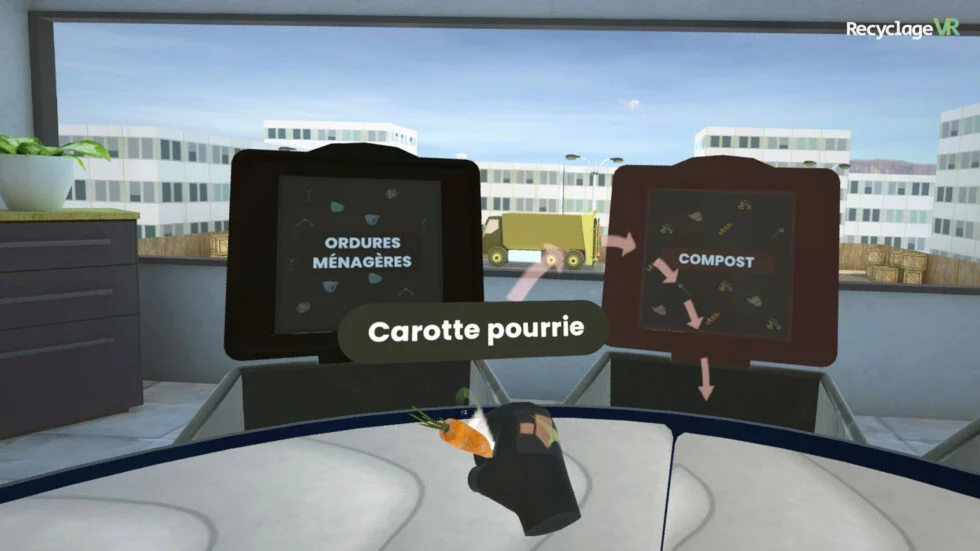
Waste Sorting Challenge
Put sorting guidelines into practice in a virtual sorting centre, identify mistakes and discuss them. Configure the experience around your waste items and local sorting rules.
Explore the Waste Sorting Challenge →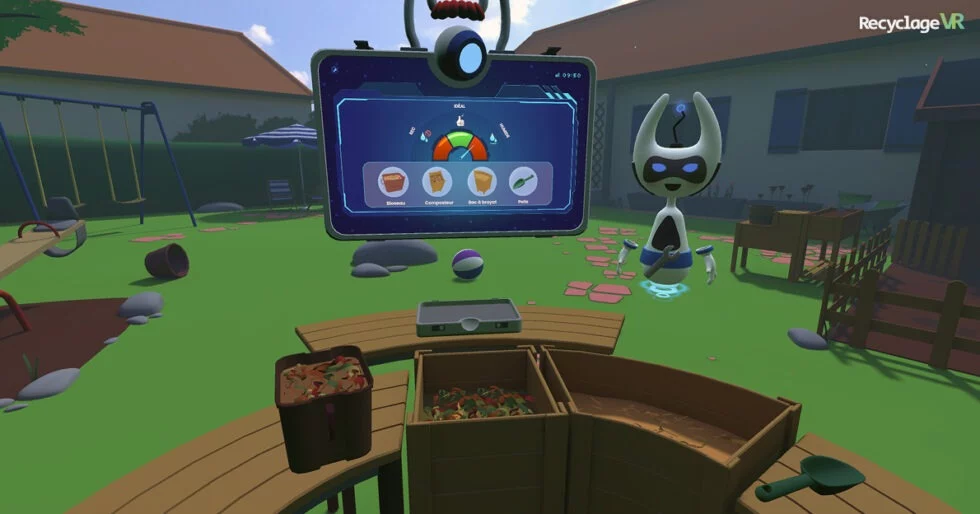
Virtual reality
The Compost Adventure
A learning journey through organic waste, compost balance, the life within it and its use in the garden. Another way to support your waste prevention activities.
Explore The Compost Adventure →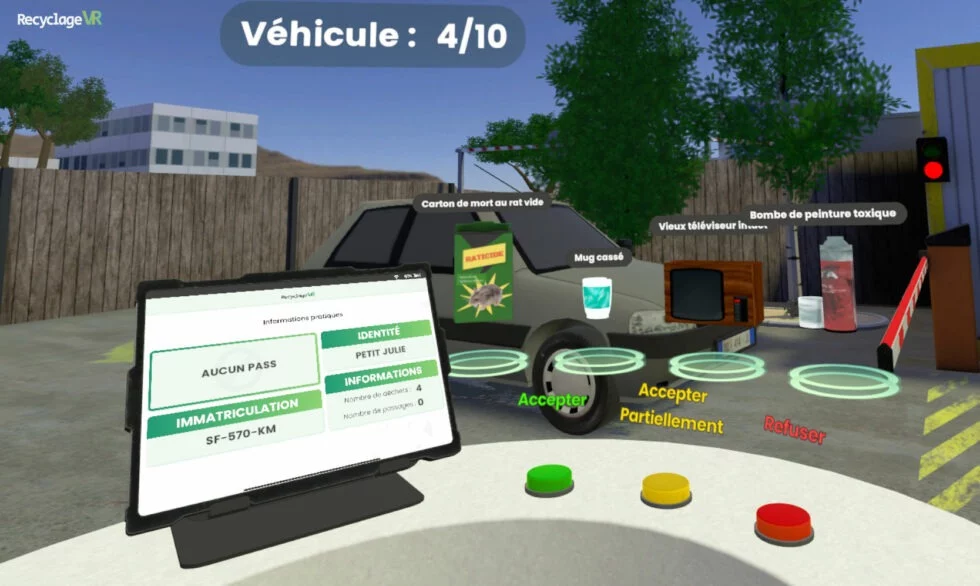
Professional training · Virtual reality
Recycling Centre Staff Training
Created in collaboration with Nicollin.
Practise access checks, sorting at the unloading area and handling decisions for specific household hazardous waste in a virtual recycling centre. Training and assessment modes let learners practise and review their decisions with a trainer.
Explore staff training →Experiences, compatible devices and access arrangements are agreed with you according to your project and licence.
Your use case guides the choice
A setup built around your needs.
The experiences
Choose experiences according to your audiences and the skills you want to develop. We review with you how they fit into your workshops, visitor trails and training courses.
Compare the experiencesThe devices
Choose virtual reality or touchscreens for the Waste Sorting Challenge, according to your audiences and organisation. The Compost Adventure and Recycling Centre Staff Training use virtual reality.
The equipment
Your proposal can include the required equipment. Already own equipment? Tell us its specifications so we can review compatibility.
To share Waste Sorting Challenge sessions with the group, plan for a spectator screen: we will define compatible equipment, connections and installation with you.
Licensing and onboarding
The selected applications, usage period, subscription arrangements and support services are detailed in your commercial proposal.
An experience to share
The participant wears the headset.
The group stays involved.
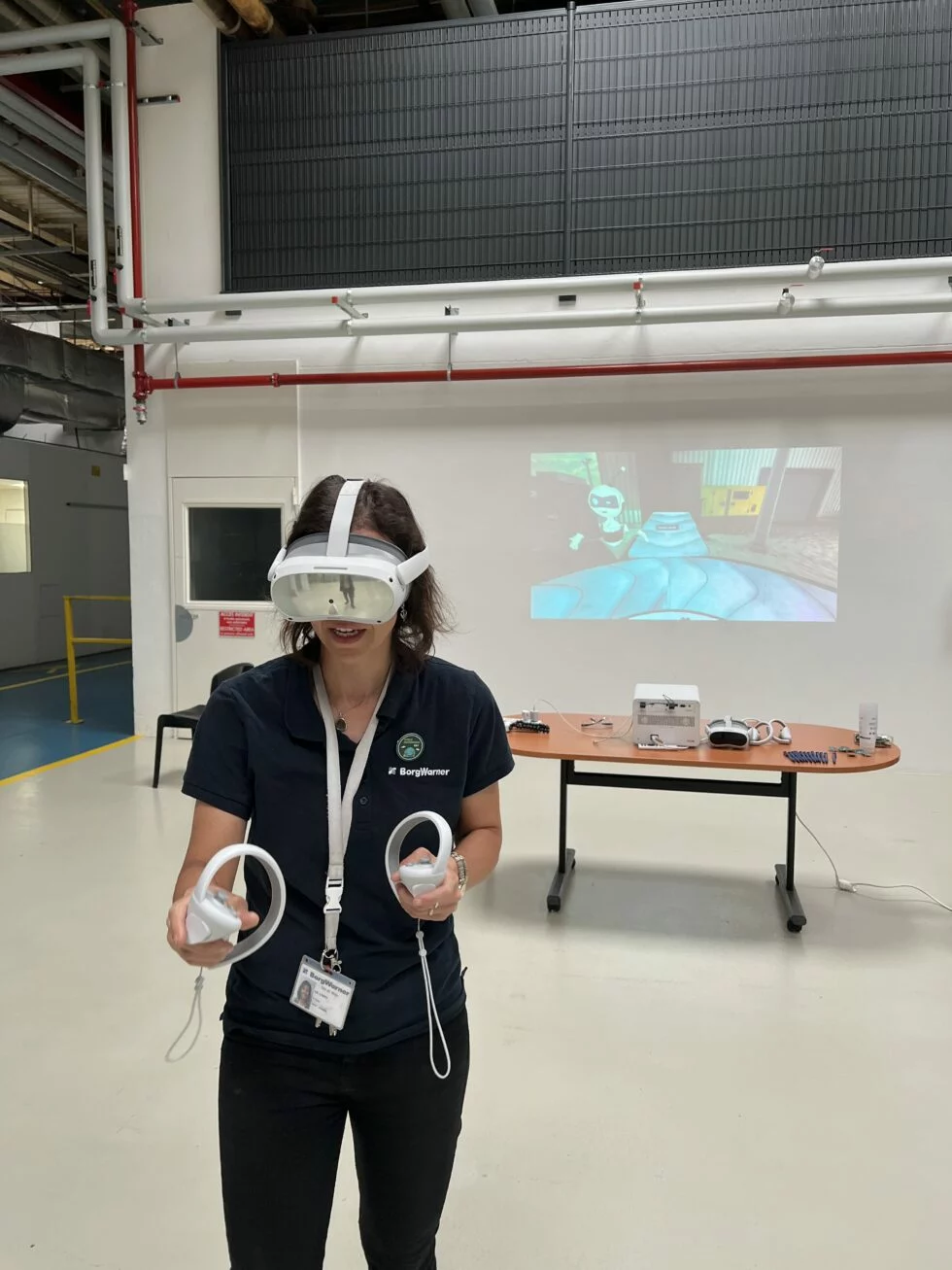
In the Waste Sorting Challenge, the Viewer mirrors the headset session on a screen visible to the group. The facilitator or trainer can use what happens on screen to ask questions, compare answers and explain decisions.
Screen positioning, its connection and group arrangements are planned as part of your setup. Screen mirroring complements the human guidance of the experience.
- Follow the session without wearing a headset.
- Give the group a shared basis for discussion.
- Review decisions together.
Your administration portal
Your guidelines and results, in one place.
Prepare your experiences, choose waste items and adapt their containers to local rules. After each session, view game results and identify the items that caused difficulty.
Explore the administration portal →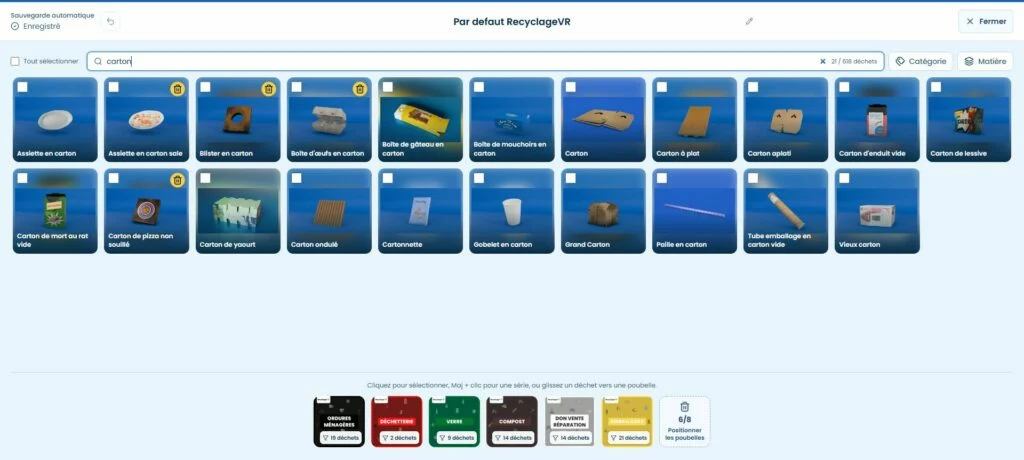
From the first conversation to your setup.
Describe your use case
Your audiences, guidelines, venues and frequency of activities are the starting point.
Explore the experiences
A demonstration lets you review how a session runs, the facilitator’s role and the configuration options.
Define your equipment
We specify the applications, equipment, licences and services selected for your project. For Waste Sorting Challenge screen mirroring, we also review the available screen, its connection and the group’s position around the activity.
They chose RecyclageVR
Local authorities that chose RecyclageVR.
Equipment projects combining RecyclageVR applications with devices suited to each team.
Deployed for nearly 10 years across France, including its overseas departments and territories.

Métropole de Lyon
Virtual reality headsets paired with a RecyclageVR licence.

Grand Albigeois
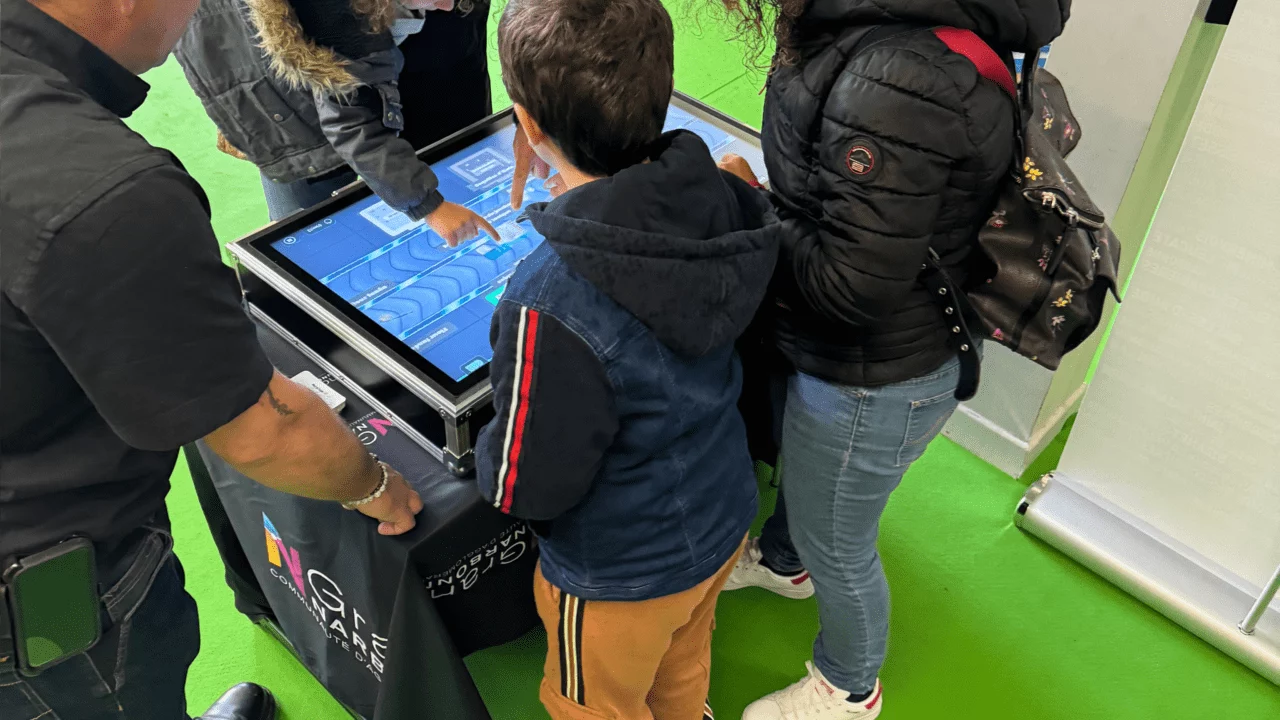
A RecyclageVR setup combining virtual reality headsets and a touchscreen table.

Pays de Lure
A virtual reality headset and a touchscreen table to access RecyclageVR experiences.
Plan your project.
Can we combine several experiences?
Yes. We build your proposal around the experiences you want to use, their compatible devices and your access arrangements. A demonstration lets you explore their differences before choosing.
Can our own teams run the workshops?
Yes. RecyclageVR is used by facilitation teams and on educational visitor trails. We define the applications, equipment and onboarding arrangements you need with you.
How does the subscription work?
Arrangements depend on the applications and intended use. Your proposal specifies the licence term, included services and renewal conditions.
Do we need to know our budget and equipment requirements already?
You can contact us as soon as you start defining your project. Your audience, frequency of use and any available equipment help prepare an initial discussion.
Let’s see how RecyclageVR can support your activities.
Tell us about your organisation, audiences and frequency of use so we can prepare a tailored demonstration.